Posts

Showing posts with the label Networking

Linux NIC teaming recommendations

Image
Introduction In my job as a network engineer, I am constantly looking for ways to increase the availability of the network. This is especially true in the data center, where services are expected to always be available. One of the ways to increase the network availability of a server is by using multiple network interfaces. This technique has many different names, but I am just going to call it NIC teaming. Purpose of NIC Teaming NIC teaming increases network availability by removing single-points-of-failure (SPOF). These SPOFs are components that will cause a service outage if they become unavailable. If we consider a single network connection from your server to your switch, we can identify quite a few SPOFs: Server NIC failure Network cable failure (such as being cut or unplugged) Network switch failure (such as a planned firmware upgrade or unplanned outage) Methods of NIC Teaming The reason I am writing this blog is to help people understand the different options for NIC team...

Is ZipTie a good candidate for a fork?

I have followed the ZipTie project ever since it's first release . If you have not heard of ZipTie, it is an incredibly powerful open source network management tool that allows you to discover and manage hundreds of network devices, all with an easy to use interface. Does that sound too good to be true? First, I'll give you some background. The project was created in November of 2006 and was sponsored by a company called Alterpoint. This was great because they funded four developers to work on ZipTie for over two years. Here is a link to my first review of ZipTie : I started using ZipTie on a university network that contained hundreds of network devices. ZipTie automatically discovered my devices by crawling the network. Then it automatically made a backup of my configs, and kept a history of revisions that I can use to recover from. Additionally, I can send commands to hundreds of devices at once, saving me countless hours of time. The amazing thing about ZipTie was that I cou...

ZipTie: New features, new name, new license?

Image
Introduction It has been over a year since I last posted about an exciting open source project called ZipTie . We use ZipTie to automatically discover our network devices, backup their configurations, and perform a variety of functions related to these devices. Many things have changed with ZipTie since my last post and I want to share those with you. I'll start with the positive changes first, because I am a positive type of person. New Features The most obvious improvement is the slick web interface that replaces the previous Java fat client. This interface is powered by Adobe Flex , so it has a great look and feel to it. Having a web interface also simplifies deploying ZipTie, because you don't have to worry about installing a Java application and all the required dependencies. Check out the screenshots : ZipTie has also added a great community resource called ZipForge , which is a place where anyone can publish custom tools that perform specific functions on network...

Vyatta: Growing up quickly

Image
For those of you who don't know, Vyatta is an open source network appliance that functions as a router, firewall, and VPN device, all running on a customized version of Debian Linux . I have been following the progress of Vyatta for over a year now, and things are looking very promising. The latest release is called VC4 (Vyatta Community edition) and it includes a bunch of useful new features: New command shell allows you to modify Linux settings and network settings from one common interface Redesign of routing protocol offers greatly improved stability and performance Role-based user access Equal-cost multi-path routing Remote access VPN Support for IP tunneling protocols PPPoE support, commonly used with DSL connections WAN load balancing of outbound traffic across two or more WAN-facing interfaces Quality of Service policies provide congestion management and traffic conditioning As you can see, a lot of exciting changes have been made in the short six months since the previ...

Digium is doing things right

Image
Background Digium is the company behind Asterisk , the popular open source PBX . Digium was founded in 1999 by Mark Spencer , the creator of Asterisk. Since then, Asterisk has been deployed around the world on millions on computers. Despite that fact, Asterisk still does not have a large market share of the PBX market. Why is this? In the past, there were many reasons for this: No brand recognition of Asterisk No proven track record of successful implementations Commercial support was needed No Linux expertise on staff Afraid to use open source software These concerns were once valid, but today most of them have been addressed by Digium. They made Asterisk easy to use Digium has been working hard to overcome the historically steep learning curve associated with implementing Asterisk. They have accomplished this with two major improvements. First, Digium created an open source software appliance called AsteriskNow! that bundled Asterisk inside a pre-configured version of Linux. ...

Cisco reseller insults open source

I just received an email from a Cisco vendor who is pitching a new product that Cisco has acquired. Within this email, the vendor discredits open source in a couple different ways. Here is some of the content of that email: * Scalability – Our operating system supports up to 10k simultaneous connections per appliance regardless of hardware platform. We developed our own OS (AsyncOS) and do not rely on Linux, Sendmail etc. * Built from the ground up as a Sendmail/open source replacement * Truly fire and forget – All our spam and virus fighting technology is dynamic and updated every few minutes. We do not rely on any open source technologies, all our technology is developed by IronPort. You will not spend any time updating the appliance or trying to find ways to block new spam, that’s our job. No thank you, Cisco. I believe that open source is something to be proud of and not the liability that you claim it to be. Cisco claims to have developed their own operating system, but I doub...

Ubuntu needs a secure remote desktop

Image
Introduction If Ubuntu wants to be taken seriously in the workplace, it needs a secure remote desktop. Many people have a need to connect to their work computer from home using remote desktop technology. Currently, the Ubuntu Remote Desktop is a front-end for VNC, which allows you to remotely manage your desktop. It works well, and a nice feature was recently added that alerts you when someone is remotely controlling your desktop. The Problem The problem is that VNC provides very little security. It does encrypt the password that you use to connect with, but all other traffic is not encrypted. This means that if someone is intercepting your traffic, it will be possible for them to watch what you are doing (including typing passwords). Another problem is that VNC has a maximum password length of 8 characters, and it does not require a username. This means that an attacker only has to guess 1 to 8 characters correctly in order to connect to your machine. If you use the Ubuntu Re...

Internet Identity: Truth or Dare?

Should I use my real identity when communicating on the internet, or should I have a separate online identity? That is the question I have been thinking about as I watch my internet footprint grow with every blog entry, blog comment, forum post, mailing list reply, and IRC chat message. (FYI - IRC chat messages are often logged and posted online.) I do not have a reason to keep my privacy now, but who knows what the future holds? I may have new enemies in the future that I don't want to know personal details about me. Once data is on the internet, it stays on the internet. It is usually impossible to erase your writing from the public domain. I can only think of two options: 1. I can continue to use my real identity, but I must always keep in mind that what I write may be used against me in the future. This can be in the form of a job opportunity, an evil stalker, a political campaign, a business deal, or a lawsuit. 2. Create a new nickname that serves as my online identity. ...

How to setup a firewall in Ubuntu

Image
Introduction A firewall is a necessary piece of software on most operating systems. This is not true for Ubuntu, because the default install doesn't include any services that accept connections from the network. You can confirm this by running this command: sudo netstat -plut Services that accept connections from the network will include an asterisk symbol or an IP address in the field labeled "Local Address". Services that only accept connections from the local system will include the word "localhost". If you later decide to install a new service such as SSH or Remote Desktop (VNC), you will probably want to control who can access these services by installing a software firewall. Searching in Add/Remove Applications for "firewall" does not return any results. Searching in Synaptic Package Manager for "firewall" will provide you with 116 results. Obviously, these are not the best ways to find the right application. Firestarter Firewall (b...

WPA wireless "just works" in Ubuntu 7.04

Image
Introduction This past week I installed a pre-release of the next version of Ubuntu. This alpha version is called "Herd 4" and should NOT be installed on a production machine. Please wait until the final release of Ubuntu 7.04 which should be in April, 2007. With that disclaimer behind us, let me tell you that this next release is going to rock! In addition to many other improvements such as automatically installing multimedia codecs, Ubuntu 7.04 will now allow you to painlessly connect to secure wireless networks. I have been waiting a long-time for Linux to automatically connect to WPA -secured wireless networks. WPA is the minimum security for a modern wireless network to be considered "secure". (Even WPA can still be hacked if you use a small pre-shared key.) In past versions of Ubuntu, you had to manually install software ( xsupplicant ) and configure it if you wanted to connect to a WPA network. Now you can connect in two simple steps. First, click on t...

Five ways to use Windows apps in Linux

Image
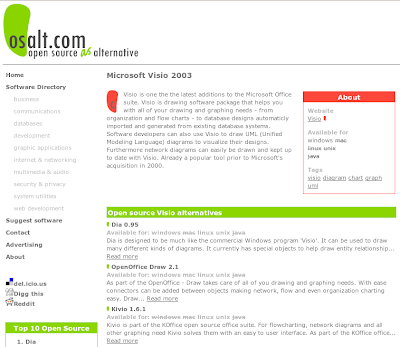
1. Use an open source alternative instead When someone asks me if they can run "Windows Application X" on Linux, the first thing I tell them is to look for an open source alternative. For most Windows applications, there will be a high-quality open source alternative that can meet their needs. The biggest hurdle for non-Linux people is simply knowing that these alternative exist and how to find them. The best place I have found to search for these applications is at www.osalt.com . On that site, you can enter the name of the Windows application and it will list the open source alternatives that provide similar functionality. Be sure to check it out. 2. Buy a commercial product that was designed for Linux If you cannot find an open source alternative, and you have not already purchased a Windows application, then you should consider purchasing a commercial product that was designed for Linux. Here is a story of a civil engineer who wanted to find an open source replacemen...

What to do if you NEED Internet Explorer

Image
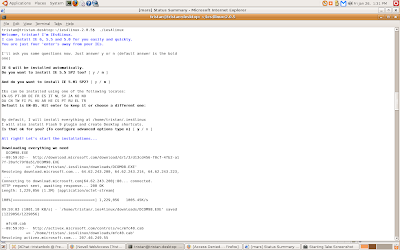
What do you do if you NEED to use Internet Explorer on your Linux system? Of course, nobody would WANT to use Internet Explorer on Linux but there are times when you need it to get your work done. This is a sad state of affairs, so remember to encourage your software vendors to always support open standards so that we can use the web browser of our choosing. Fortunately, someone has made it very easy to run IE on Linux. The project is called IEs 4 Linux , which will run IE using Wine . If you read the IE license from Microsoft, you will learn that you should own a copy of Windows if you want to install IE. There is no way for IEs4Linux to know if you have a license, so it simply uses the honor system . To install IEs4Linux on Ubuntu, you can follow these simple instructions . The script runs a simple text-based wizard, which offers you the choice of installing IE version 5.0, 5.5, or 6.0. If you hit "Enter" four times, it will install IE 6.0 with the Flash Player plugi...

Using the Cisco console in Linux

Image
Introduction People who work with Cisco network equipment need to be able to connect to the console port on their devices. In Windows, you can simply fire up HyperTerminal to get basic access to your devices. If you are using Linux, then you need to know how this can be done with an application called Minicom . Hardware First, you are going to need a Cisco console cable , a Cisco device, and a computer. If your computer has a serial port , then you can use the standard console cable that comes with every Cisco device. If you do not have a serial port (like most new laptops), then you need to purchase a USB to Serial adapter that supports Linux. This device will allow you to use the standard Cisco cable, which has a serial port on one end. Install Minicom You can easily install Minicom by using "System > Administration > Synaptic Package Manager". Search for "minicom" and choose to install the package. Click "Apply" and Minicom should be insta...

How to mount Novell network drives

Image
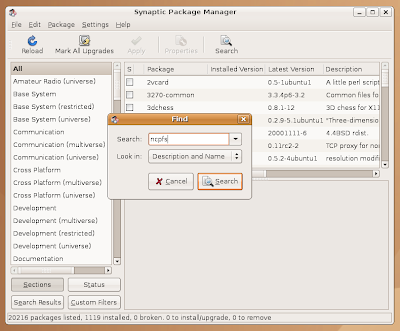
One of the major requirements for running Ubuntu at work is that I need to be able to access our department network drives on Novell Netware servers. I thought this was going to be a difficult procedure, but as you will soon learn it is not hard at all. Novell Netware servers use the NCP protocol to provide network shares. Therefore, an NCP client is needed to connect to these network drives. The NCP client for Linux is called " ncpfs ", which is available in the Universe repository for Ubuntu. Here are the steps it takes to access your Novell network drives. Enable the "Universe" repository Click on "System>Administration>Software Sources" Check this box: "Community maintained Open Source (universe)" Click on "Close" and let the system update the software catalog Use Synaptic to install "ncpfs" Click on "System>Administration>Synaptic Package Manager" Search for "ncpfs" Choose to install ...

Comparing remote backup options

Image
I have always been interested in backups. (In fact, I created an open source project called SaraB : Schedule And Rotate Automatic Backups.) Anyone who has valuable data should be implementing a proper backup process. For a good primer on the fundamentals of backup, I recommend visiting " The Tao of Backup ". Most recently, I have been trying to decide how to best implement the concept of " Separation ". This requires that I store my data in multiple geographic locations to prevent a local disaster from destroying all copies of my data. Like most people, my collection of photos, videos, and documents has been growing quickly as technology become more prevalent and uses higher resolutions. The value of my data becomes greater with every passing holiday, birthday, wedding, and vacation. Here are some options that I have come up with to backup my data to a remote site. Manual Solutions: 1. Periodically burn DVDs and carry them to another location Pros: Simple Che...

Unbeatable deal on VOIP phone service

Image
Update : As this deal is now expired, I am removing my phone number. You can always sing my replacement number: 555-867-5309! I apologize that this post is going to show up on the Planets. If anyone knows how to edit posts without it going to the top of the planet, please share. I have verified that the "Post time and date" are not being updated, so I don't know why this happens. I wanted to share this awesome deal with everyone who wants to save money on a phone service. This could be used to reduce monthly charges for people who have a Qwest phone line, or to provide a cheap emergency phone line for people who only have cell-phones. SunRocket has traditionally been one of the cheapest VOIP services around, with an unlimited plan for less than $17/month. Now they have an unbeatable deal, but you need to act fast if you want to take advantage of it. They are offering a free year of service when you buy one year, which brings the monthly fee to $8/month. The dea...

The ethics of Linux hardware appliances

Recently my organization has been looking into purchasing DNS / DHCP / IPAM hardware appliances. This category includes products from InfoBlox , BlueCat , MetaInfo , and INS . It turns out that all of these appliances are running a version of Linux, and they are using open source applications. In fact, some of the vendors proudly admit that they "start with ISC's Bind and DHCP" and then make improvements to them. When I heard these facts, I immediately asked them if they released the source-code to their appliances. They explained that there is no legal requirement for them to do so. Lucky for them, ISC uses the BSD license. But they also are shipping Linux, so shouldn't they have to redistribute the source for that? Tivo publishes the source code to the GPL code that they modify. Perhaps the Linux-appliance vendors are not modifying any GPL code. I must assume that they are not legally required to distribute the source, based on the fact that I am not a lawy...

Nedi: The Movie

I have posted before about how cool Nedi is, but now you can see it for yourself. The Nedi Movie If you are involved in network management, I am sure you will see the value in this open source project. We use it everyday, and it is hard to imagine life without it.

VMware Announces Ultimate Virtual Appliance Challenge Winners

Today at Linux World, VMware announced the winners of the Ultimate Virtual Appliance Challenge. I entered this competition with a useful virtual appliance called " NeDiVA " (Network Discovery Appliance). NeDiVA will automatically discover your Cisco network devices and gather a plethora of useful information about your network. Sadly, I did not win a prize, nor did I receive an honorable mention. As a consolation prize, my ego is comforted by the fact that NeDiVA was downloaded more than 600 times. Thank you, bittorrent. This announcement was not all bad news, since I discovered some very interesting virtual appliances. The following list of winners can also been found on the VMware website. First Prize ($100,000) HowNetWorks , a high-level network analyzer. (Mikko Hiltunen, Erno Kuusela, Joachim Viide, Mika Seppänen, Jani Kenttälä; University of Oulu, Finland) The HowNetWorks virtual appliance is a network analyzer that works at a higher level than ...